# Activation

Turn New Customers into First-Time Buyers with ELMA

**Objective:** The goal is to transform visitors into first-time buyers by providing a seamless and personalized shopping experience. ELMA helps capture interest early and nudges potential customers to complete their first purchase.

**Solution:** ELMA uses AI to analyze user behavior, detect their interests, and send timely emails that recommend products they are likely to love. Personalized emails with welcome discounts, best-selling items, or curated collections can make a strong impression and encourage purchases.

**Goals:** Increase the number of first-time purchases by converting more visitors into paying customers. Enhanced engagement at this stage sets the foundation for long-term customer relationships.

**Steps:**

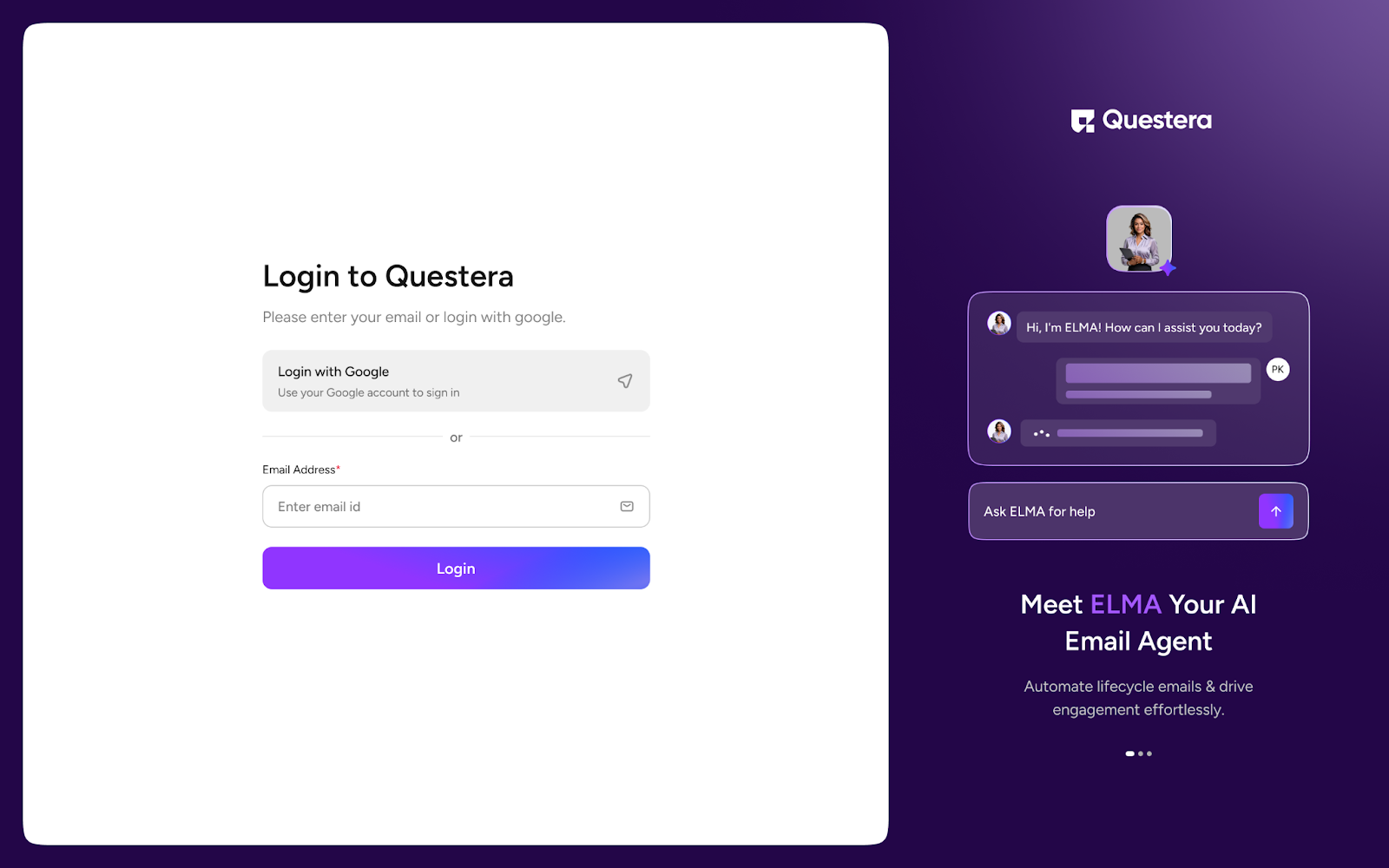
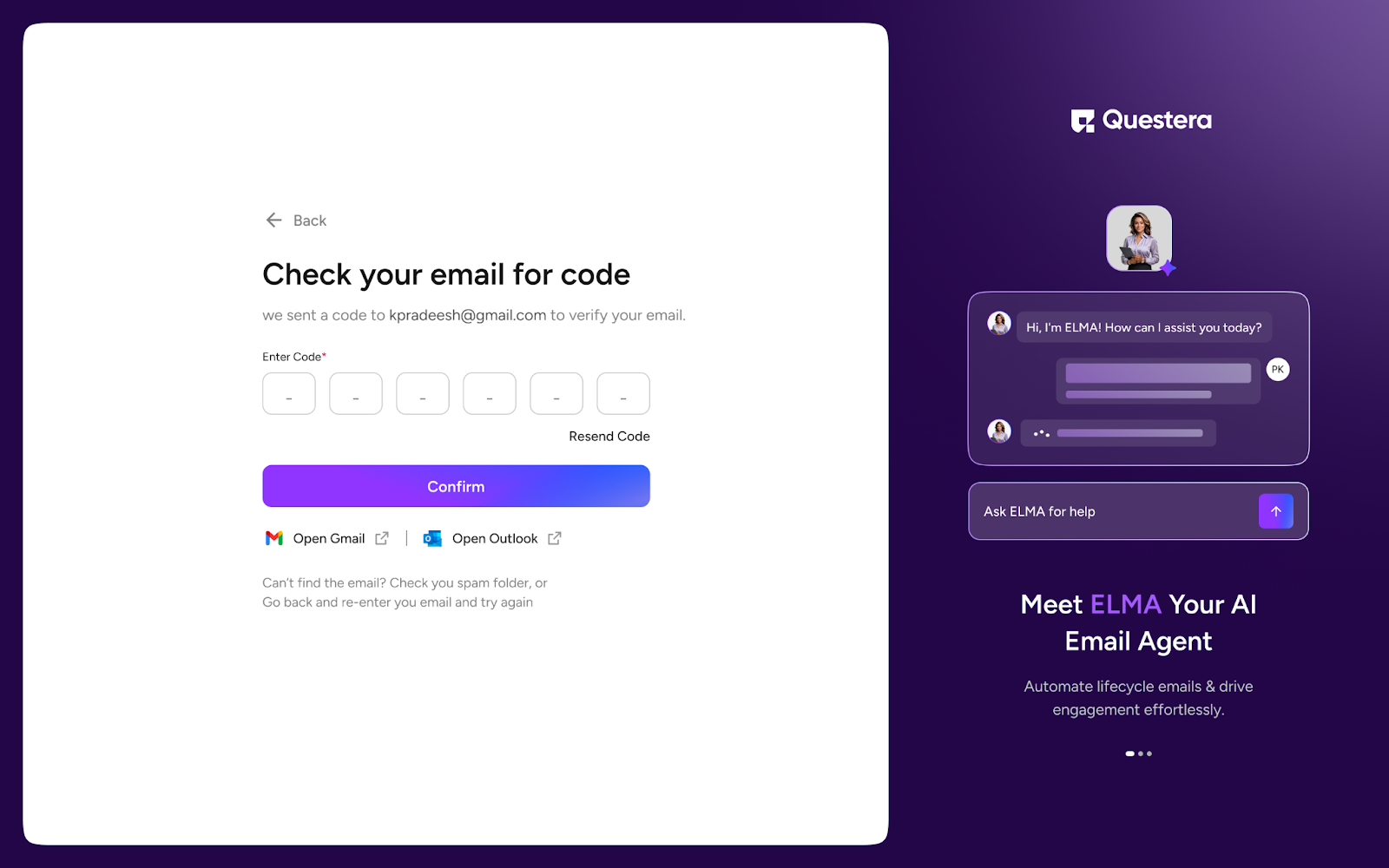
1. **Login to ELMA:** Visit[ https://elma.questera.ai/login](https://elma.questera.ai/login)  and log in using Google or a new email ID. Verify the OTP if applicable.

<figure><img src="https://1173113760-files.gitbook.io/~/files/v0/b/gitbook-x-prod.appspot.com/o/spaces%2FYEKIeE9xnHLXuuwEs8zo%2Fuploads%2Fna9fvxsRHsuXm1PSBLQm%2FElmaCon1.png?alt=media&#x26;token=051f8362-9044-44e9-a421-14993db7ab95" alt=""><figcaption></figcaption></figure>

<figure><img src="https://1173113760-files.gitbook.io/~/files/v0/b/gitbook-x-prod.appspot.com/o/spaces%2FYEKIeE9xnHLXuuwEs8zo%2Fuploads%2FEb9uDogFbtRoUMWOCvJT%2FElmaCon2.png?alt=media&#x26;token=bf2cf849-dda2-48d3-b7e8-6815e10bd5a2" alt=""><figcaption></figcaption></figure>

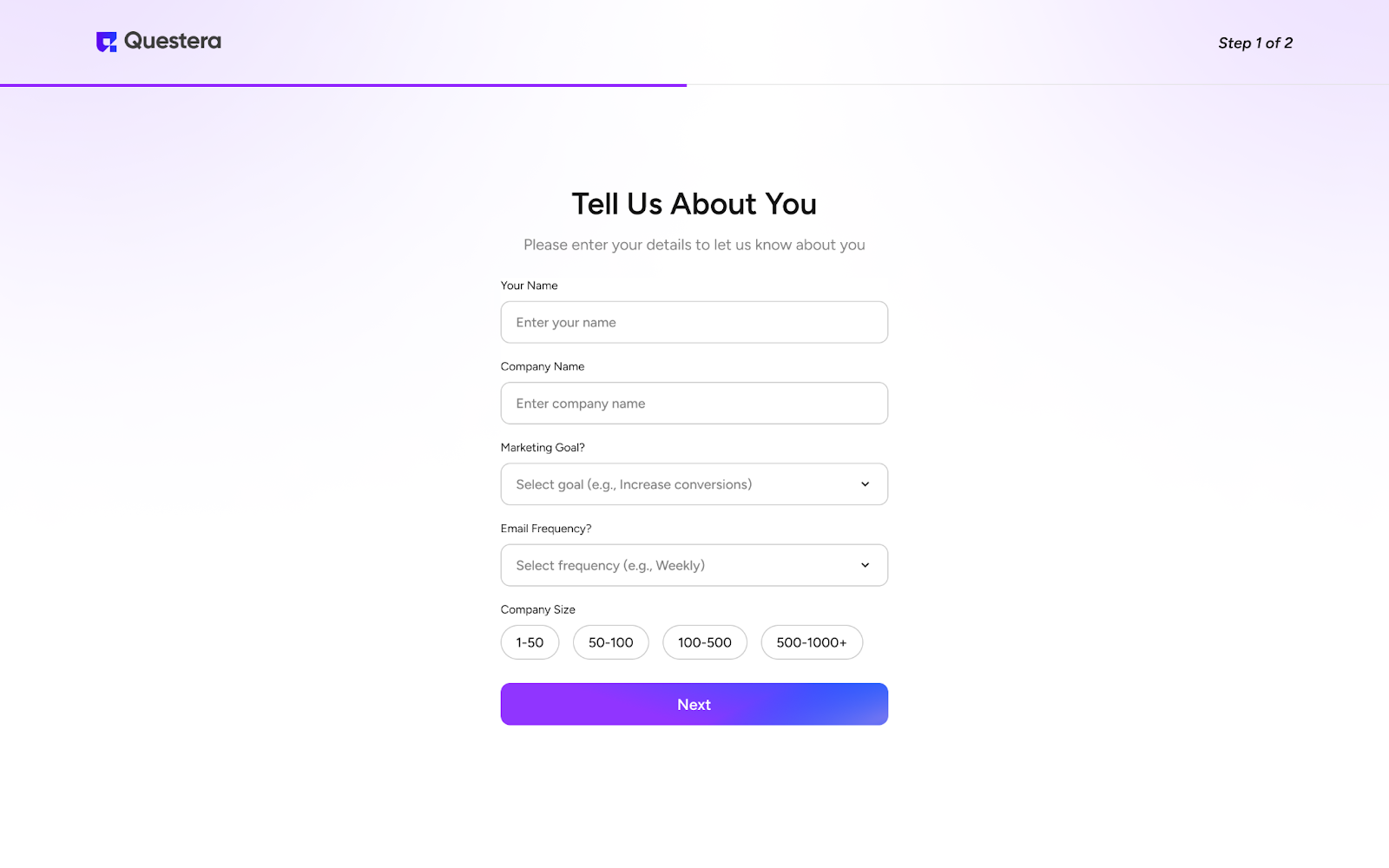
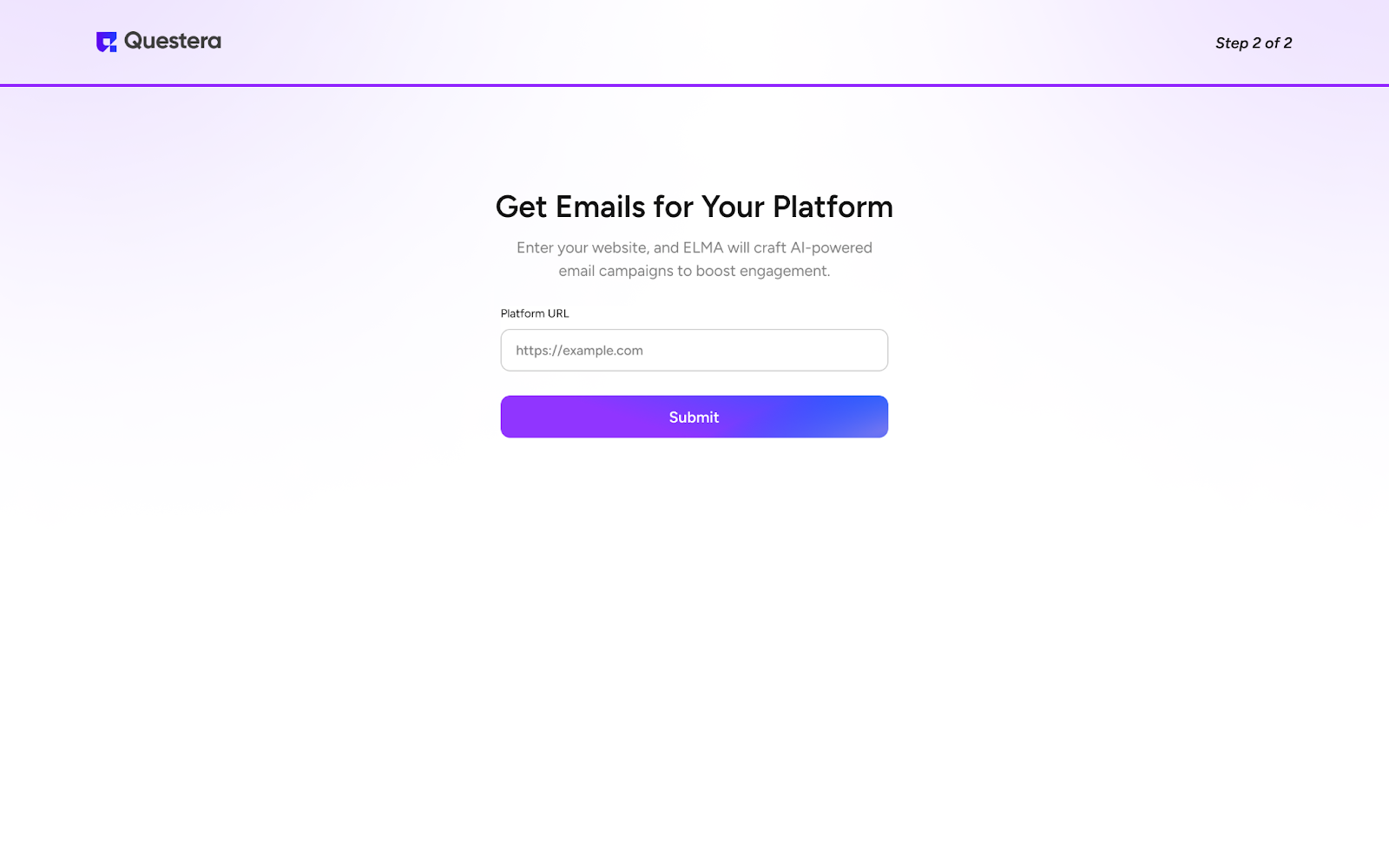
2. **Set Up Account:** Enter your name, company name, marketing goal, email frequency, and company size. Provide your company URL and click submit.

<figure><img src="https://1173113760-files.gitbook.io/~/files/v0/b/gitbook-x-prod.appspot.com/o/spaces%2FYEKIeE9xnHLXuuwEs8zo%2Fuploads%2FtwQpuUhToJXkSH1av4Ki%2FElmaCon3.png?alt=media&#x26;token=568e6d2f-8e1d-4cfa-970c-db027da849e3" alt=""><figcaption></figcaption></figure>

<figure><img src="https://1173113760-files.gitbook.io/~/files/v0/b/gitbook-x-prod.appspot.com/o/spaces%2FYEKIeE9xnHLXuuwEs8zo%2Fuploads%2F6GSlqO1KyOLCY2Aen2QG%2FElmaCon19.png?alt=media&#x26;token=834ded61-fccc-46b0-b2dc-a83a766ff1eb" alt=""><figcaption></figcaption></figure>

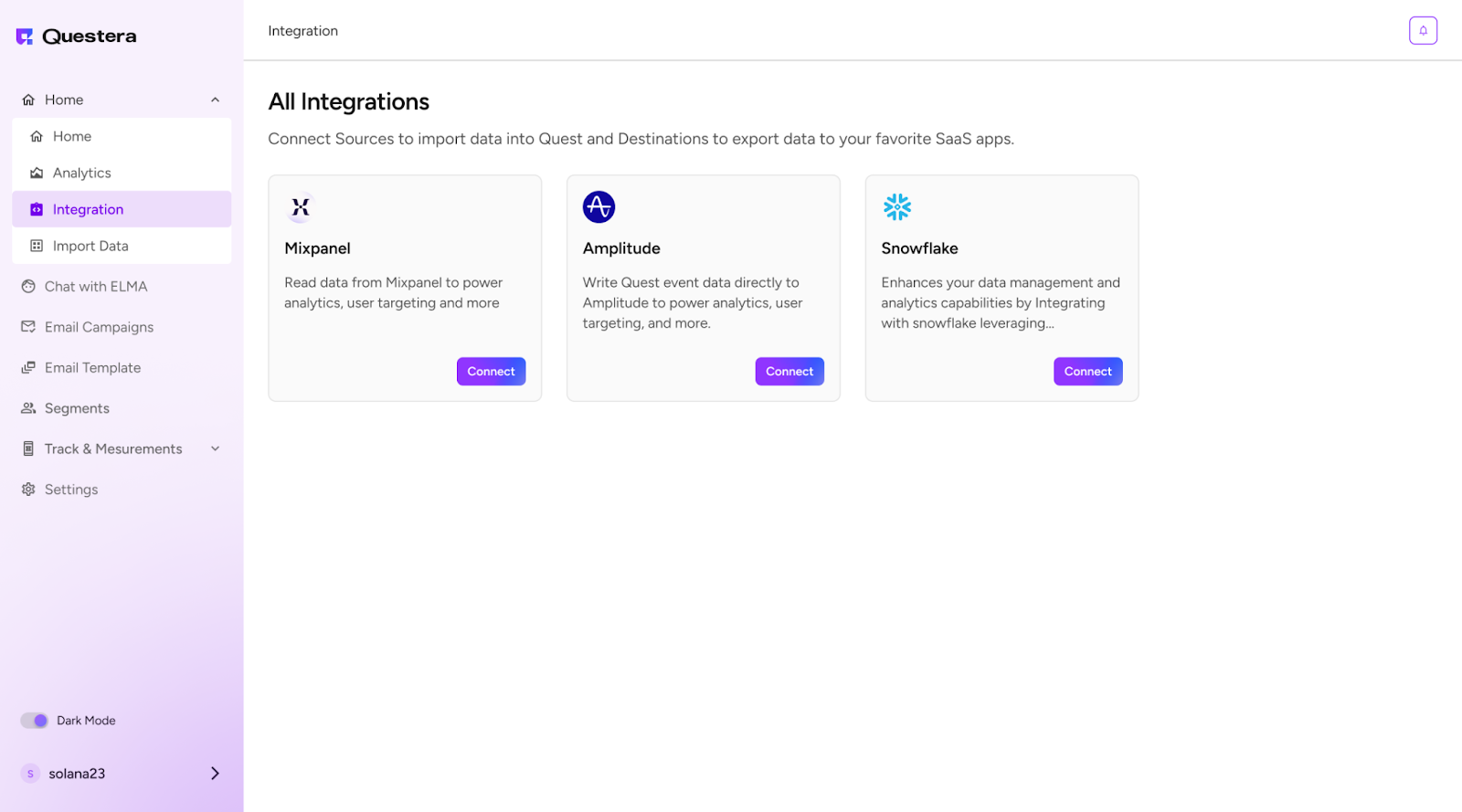
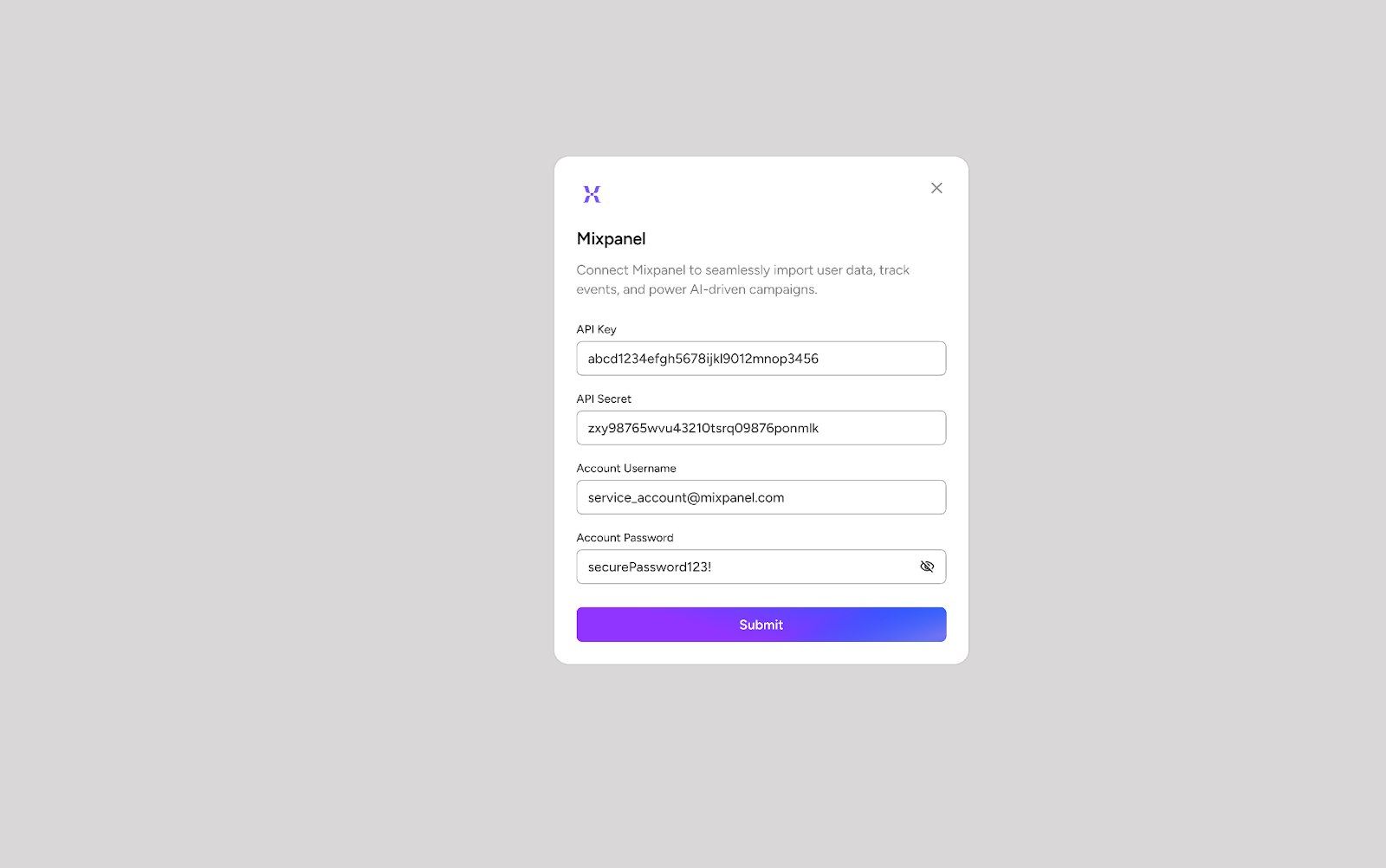
3. **Integrate with Data Sources:** Navigate to the Integrations tab and connect ELMA to your relevant data sources. Here you can connect Elma to your product analytics tool or data warehouse like Mixpanel, Amplitude, Snowflake, etc. This will help Elma understand user events and user data of your website. ELMA will use this data to personalize the campaign

<figure><img src="https://1173113760-files.gitbook.io/~/files/v0/b/gitbook-x-prod.appspot.com/o/spaces%2FYEKIeE9xnHLXuuwEs8zo%2Fuploads%2Fx9PsAFjJi8dXvhLwfYJz%2FElmaCon5.png?alt=media&#x26;token=66140315-bec8-458d-950a-e37a048bbc6f" alt=""><figcaption></figcaption></figure>

<figure><img src="https://1173113760-files.gitbook.io/~/files/v0/b/gitbook-x-prod.appspot.com/o/spaces%2FYEKIeE9xnHLXuuwEs8zo%2Fuploads%2FE7tvKYZYDoVQbJzia8cV%2FElmaCon6.png?alt=media&#x26;token=2a53f0f2-b034-4f09-8027-0f22181a6b96" alt=""><figcaption></figcaption></figure>

<figure><img src="https://1173113760-files.gitbook.io/~/files/v0/b/gitbook-x-prod.appspot.com/o/spaces%2FYEKIeE9xnHLXuuwEs8zo%2Fuploads%2FWKVI8tObTr4YR2AYekRj%2FElmaCon7.png?alt=media&#x26;token=12aaed63-cdfc-4cc0-8c13-0f5155833983" alt=""><figcaption></figcaption></figure>

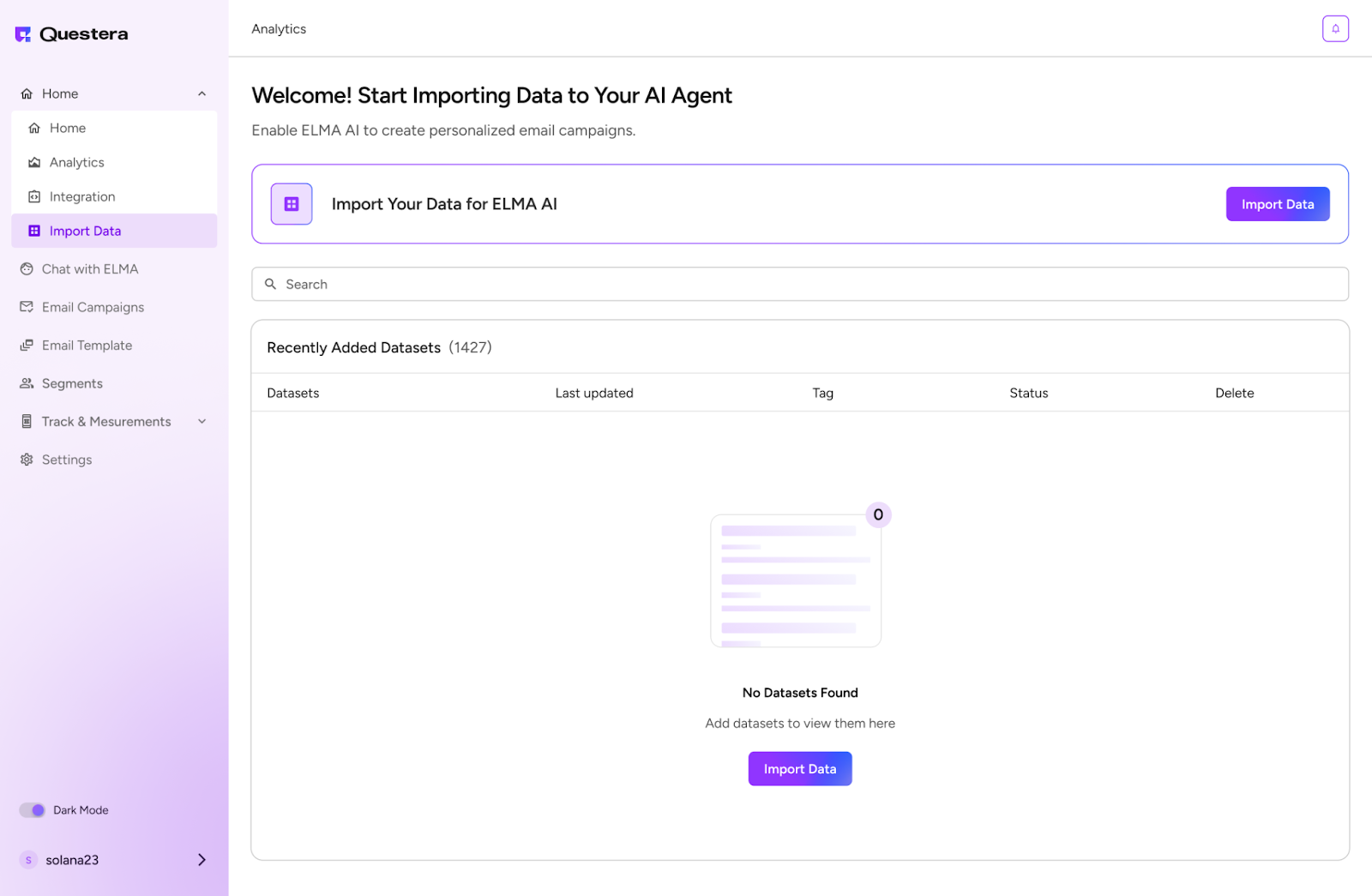
4. **Import Data:** Once integration is complete, click on Import Data to sync recent customer data. This helps ELMA analyze user behavior effectively.

<figure><img src="https://1173113760-files.gitbook.io/~/files/v0/b/gitbook-x-prod.appspot.com/o/spaces%2FYEKIeE9xnHLXuuwEs8zo%2Fuploads%2Fzd511nXxekeh1XsYJaSB%2FElmaCon8.png?alt=media&#x26;token=4170aaf2-c97e-4d97-946d-1a025730cc5e" alt=""><figcaption></figcaption></figure>

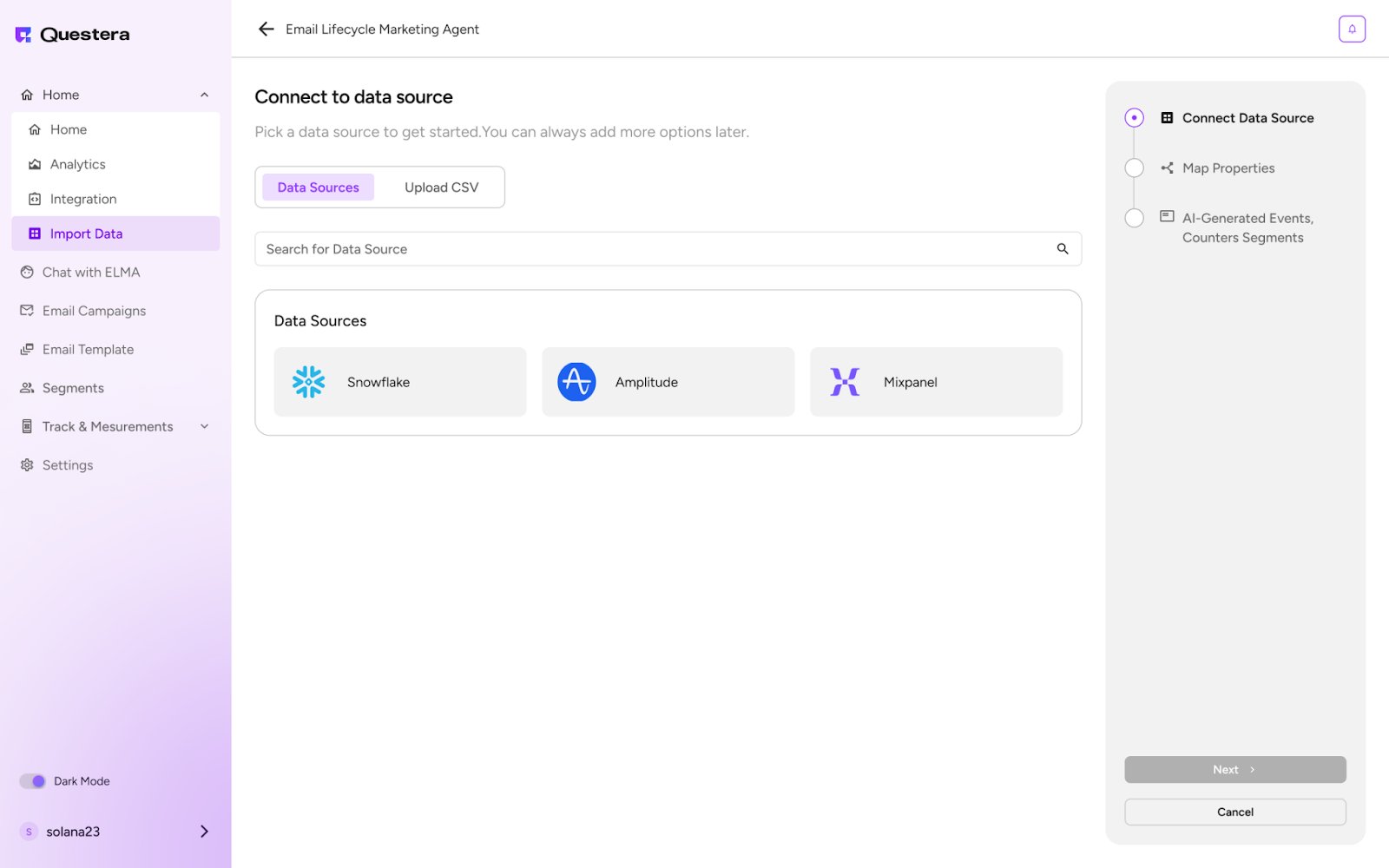
**Connect with data:** You can connect with these data sources or even upload csv file

<figure><img src="https://1173113760-files.gitbook.io/~/files/v0/b/gitbook-x-prod.appspot.com/o/spaces%2FYEKIeE9xnHLXuuwEs8zo%2Fuploads%2Fe42IdOKbhQhP2AB7nzkj%2FElmaCon9.png?alt=media&#x26;token=b8ccbc0a-d7af-433a-a645-25c5a537aff3" alt=""><figcaption></figcaption></figure>

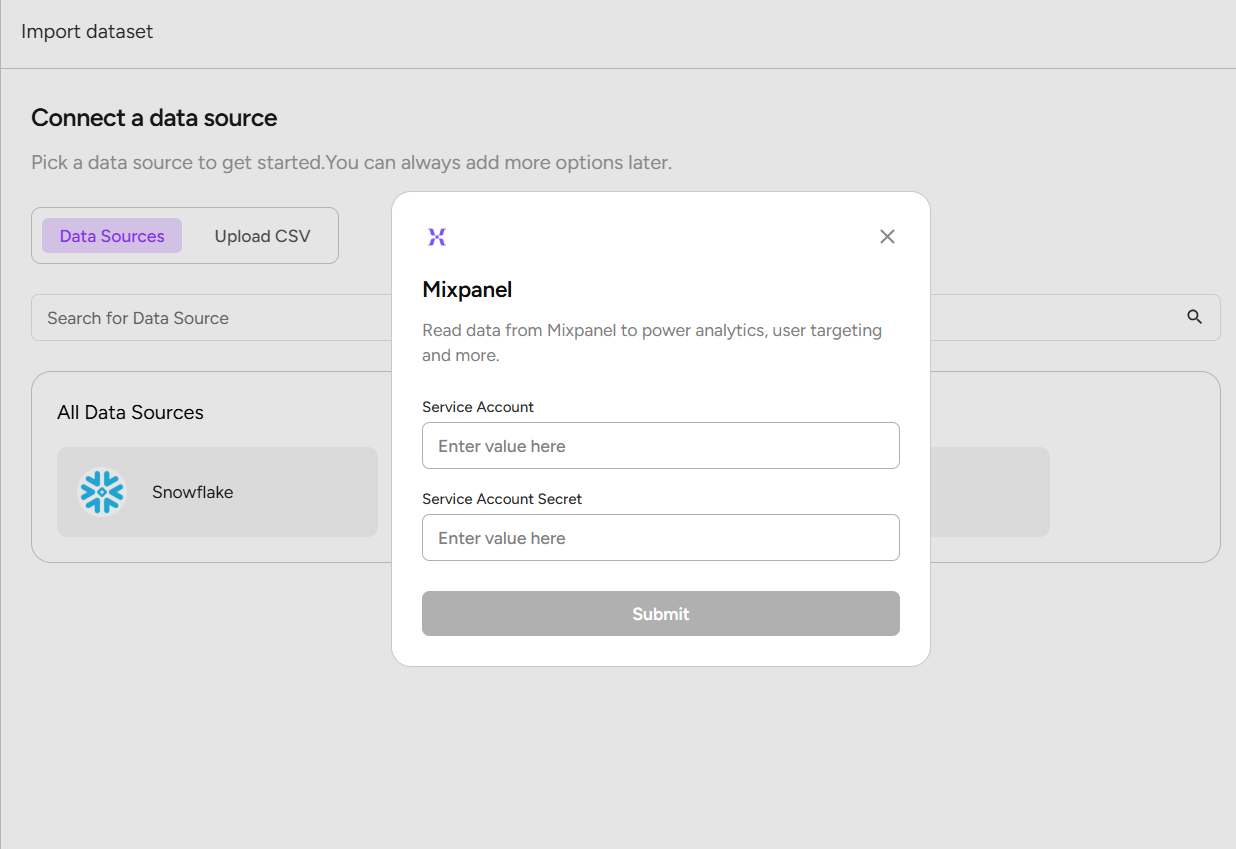
**Enter value:** Enter the requested data and hit submit

<figure><img src="https://1173113760-files.gitbook.io/~/files/v0/b/gitbook-x-prod.appspot.com/o/spaces%2FYEKIeE9xnHLXuuwEs8zo%2Fuploads%2F5ZqIQIYKKGiyUtHNKFuM%2FElmaCon10.png?alt=media&#x26;token=4dd9842b-4798-4033-aae3-1f1469558295" alt=""><figcaption></figcaption></figure>

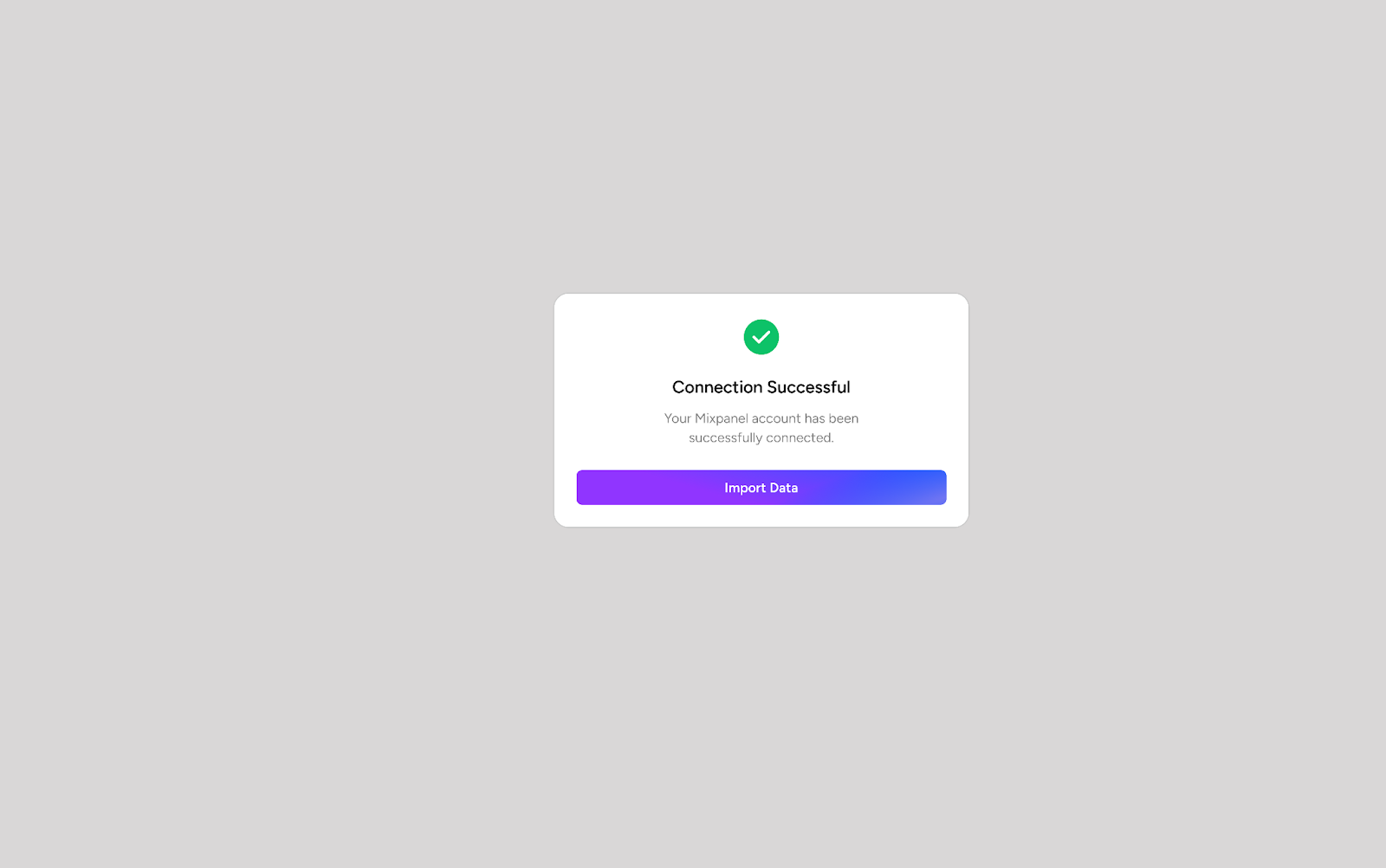
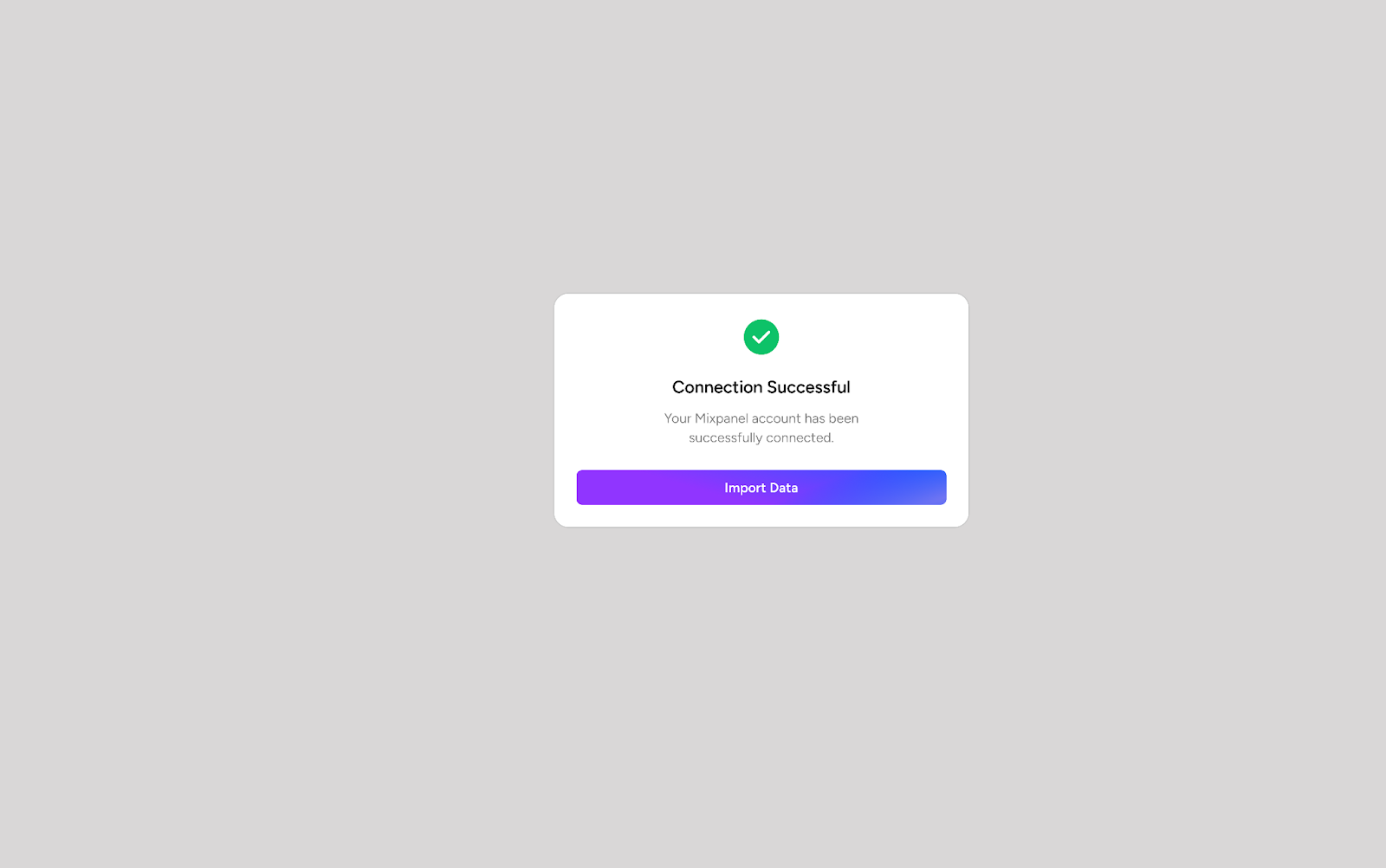
**Connection successful:** The data source is connected successfully

<figure><img src="https://1173113760-files.gitbook.io/~/files/v0/b/gitbook-x-prod.appspot.com/o/spaces%2FYEKIeE9xnHLXuuwEs8zo%2Fuploads%2FLBXhmL2CSpjOmJMbGoC0%2FElmaCon11.png?alt=media&#x26;token=a5478f8b-cac0-4ae6-bbda-993c437c454d" alt=""><figcaption></figcaption></figure>

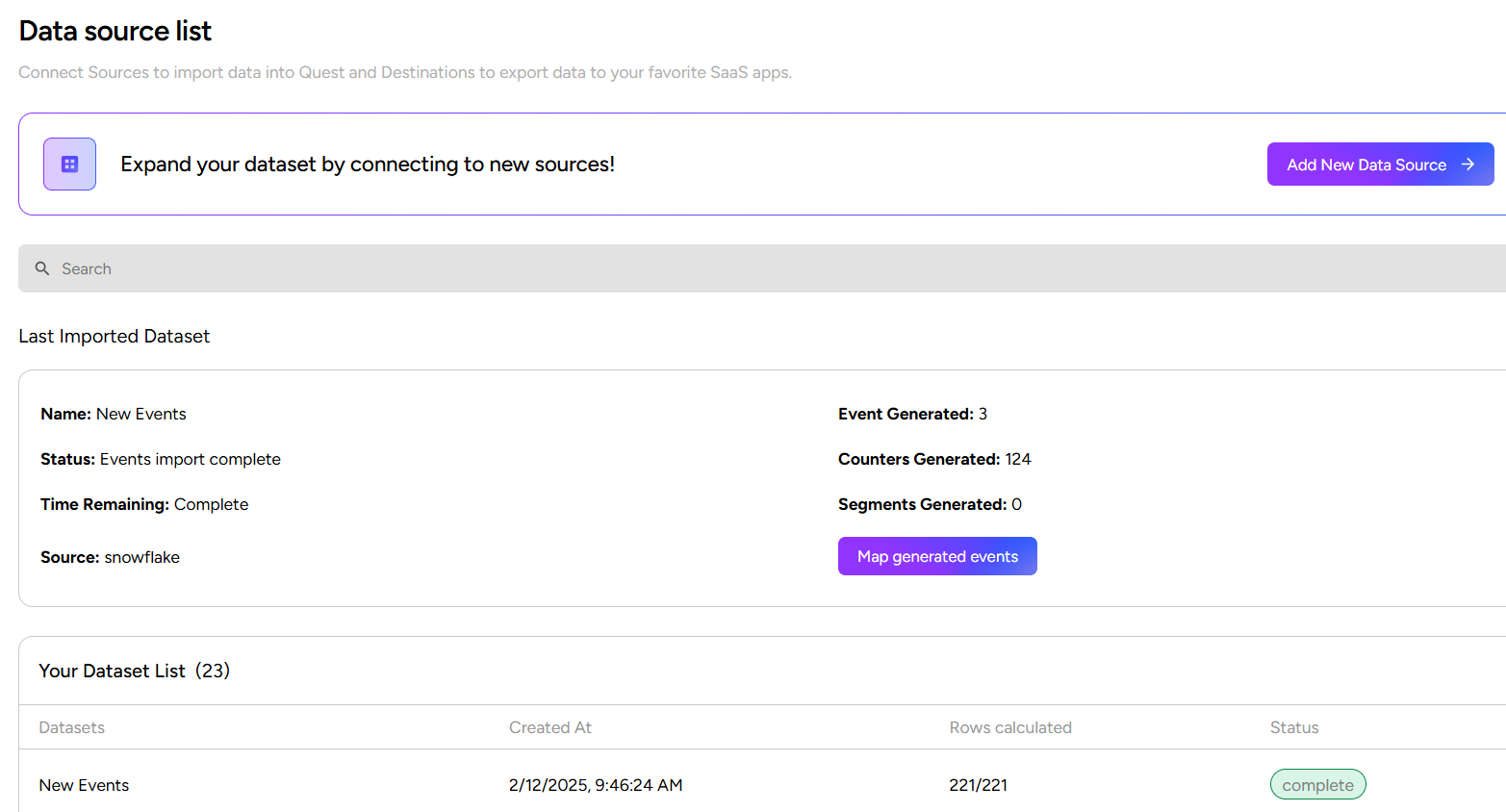
**Import event:** Importing event from the data, events are generated

<figure><img src="https://1173113760-files.gitbook.io/~/files/v0/b/gitbook-x-prod.appspot.com/o/spaces%2FYEKIeE9xnHLXuuwEs8zo%2Fuploads%2FpnHezWYAXhV7SEugvgNw%2FElmaCon12.png?alt=media&#x26;token=66b7a754-2027-4ee4-9780-0bea6f38e477" alt=""><figcaption></figcaption></figure>

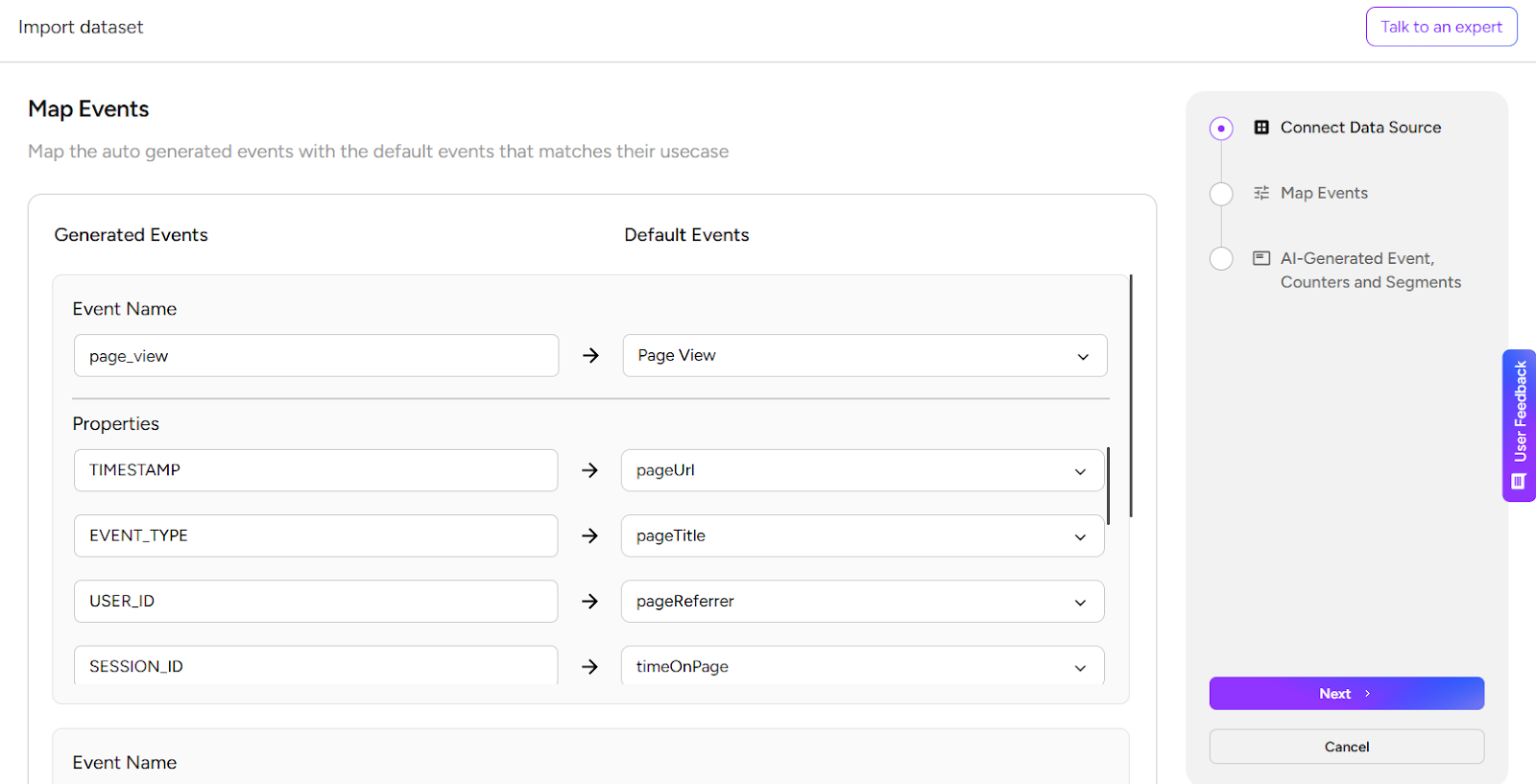
**Map events:** Map events as required

<figure><img src="https://1173113760-files.gitbook.io/~/files/v0/b/gitbook-x-prod.appspot.com/o/spaces%2FYEKIeE9xnHLXuuwEs8zo%2Fuploads%2FmHhFkr7MKlrGeWKDQEtT%2FElmaCon13.png?alt=media&#x26;token=b350b950-dd43-4cb1-a881-49dbe3adb16a" alt=""><figcaption></figcaption></figure>

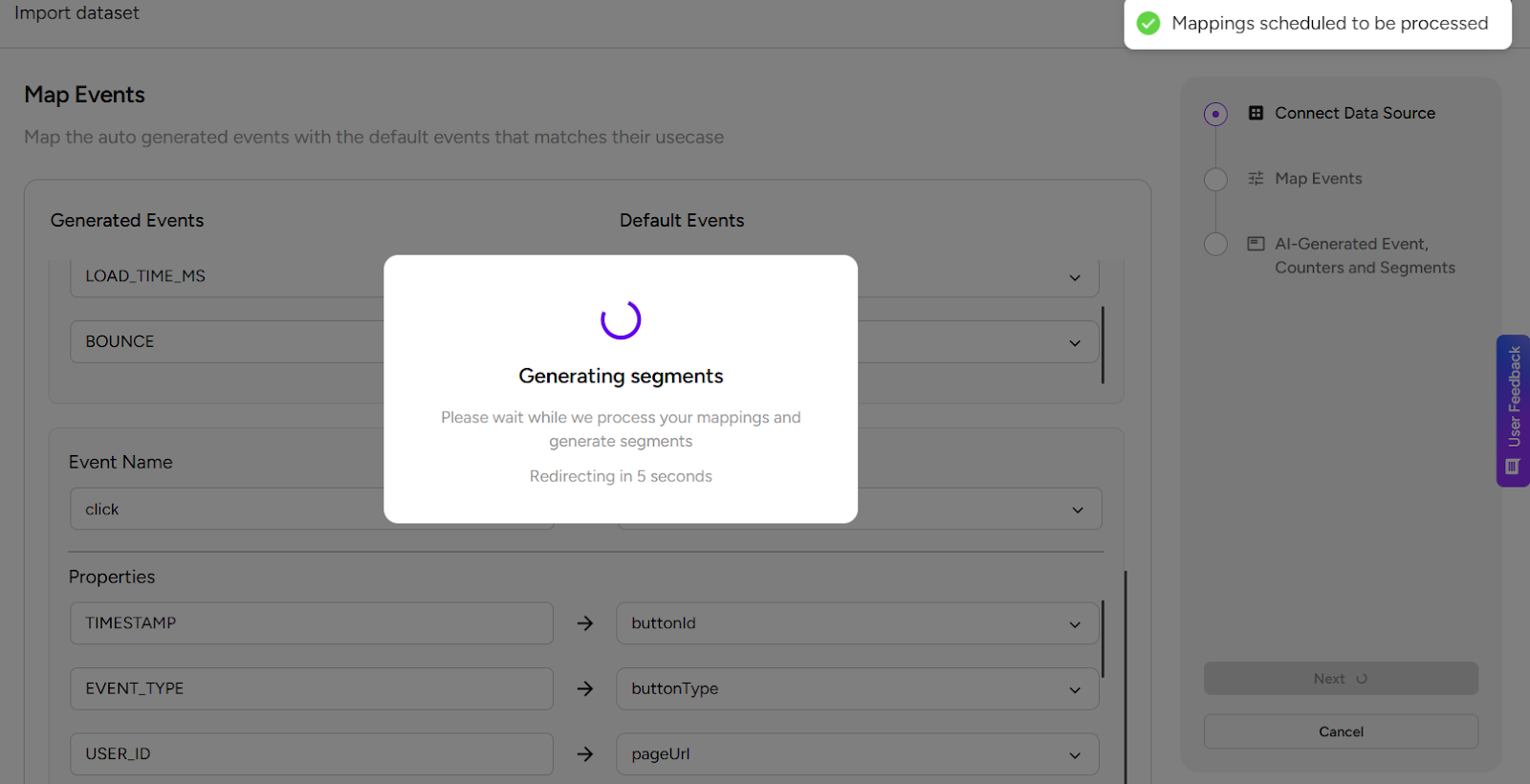
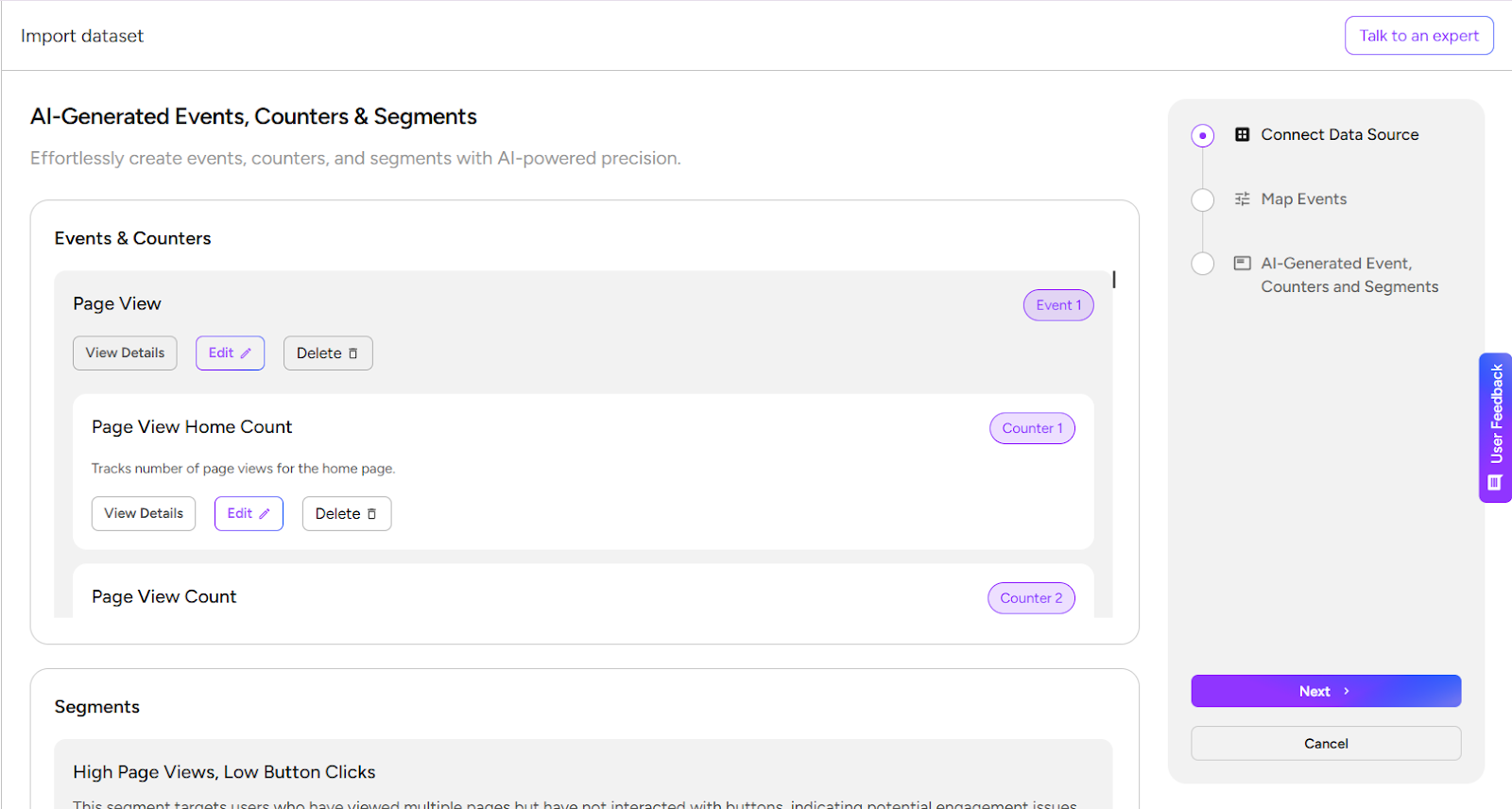
**Segments:** Click next the segments will be created for the data given

<figure><img src="https://1173113760-files.gitbook.io/~/files/v0/b/gitbook-x-prod.appspot.com/o/spaces%2FYEKIeE9xnHLXuuwEs8zo%2Fuploads%2FEZWmmnYtJj0bj8jLgwab%2FElmaCon14.png?alt=media&#x26;token=f0a11481-2896-4508-8b78-09d72df8fcd2" alt=""><figcaption></figcaption></figure>

**Events and segments:** We can see all the events and segments and edit them accordingly

<figure><img src="https://1173113760-files.gitbook.io/~/files/v0/b/gitbook-x-prod.appspot.com/o/spaces%2FYEKIeE9xnHLXuuwEs8zo%2Fuploads%2Fh8DO4IGDH3M0iAB8TLdv%2FElmaCon15.png?alt=media&#x26;token=a595a392-cd4d-499d-a348-96d928c1017c" alt=""><figcaption></figcaption></figure>

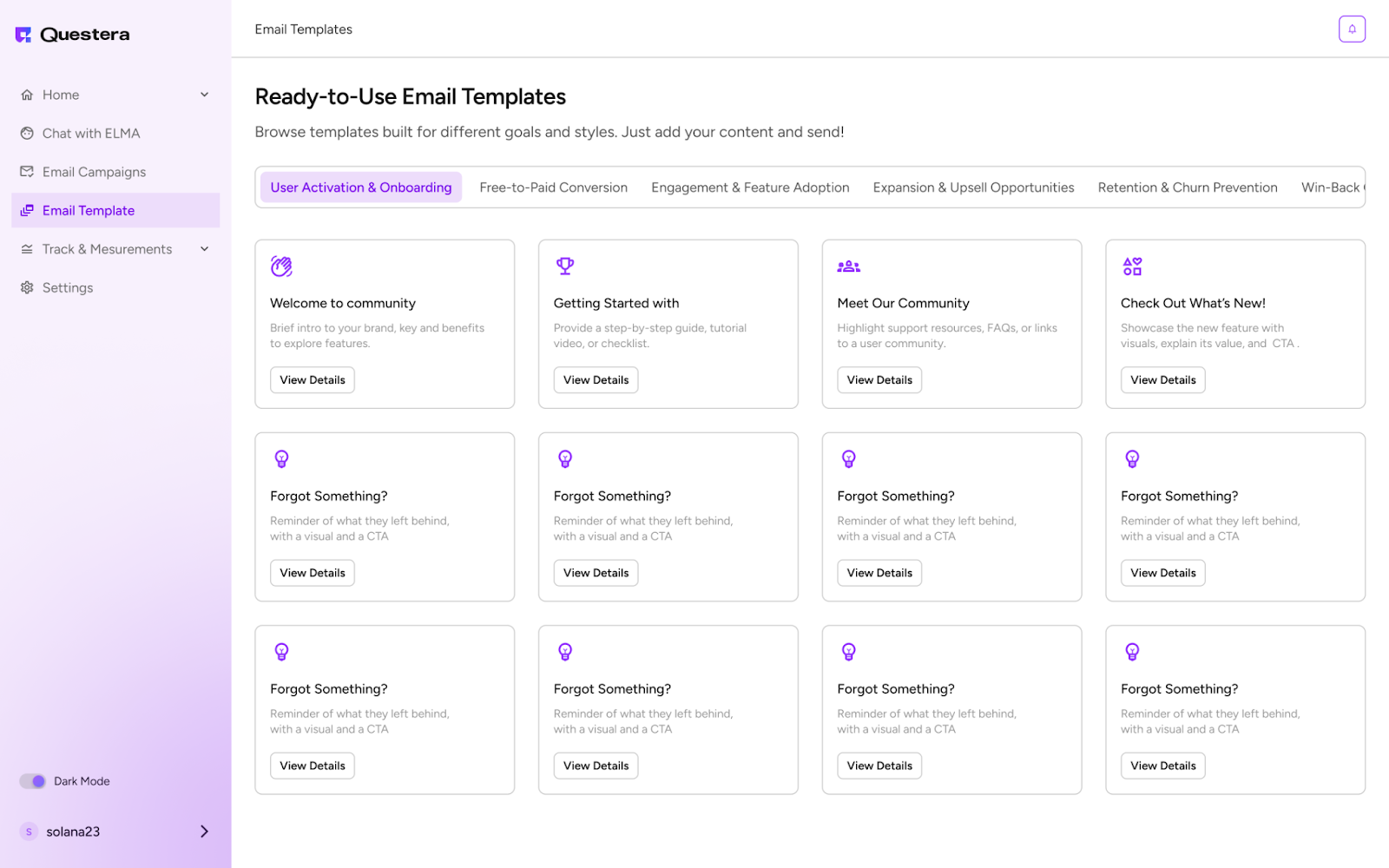
**Create an Activation Campaign:** Navigate to Email Campaign and select a welcome or activation email template. If you need a customized template, chat with ELMA for personalized

<figure><img src="https://1173113760-files.gitbook.io/~/files/v0/b/gitbook-x-prod.appspot.com/o/spaces%2FYEKIeE9xnHLXuuwEs8zo%2Fuploads%2FHrB0hlhyGG8yUD88NrJl%2FengElma.png?alt=media&#x26;token=c3b0de21-9b55-4c5a-b209-ffa15a89f9b9" alt=""><figcaption></figcaption></figure>

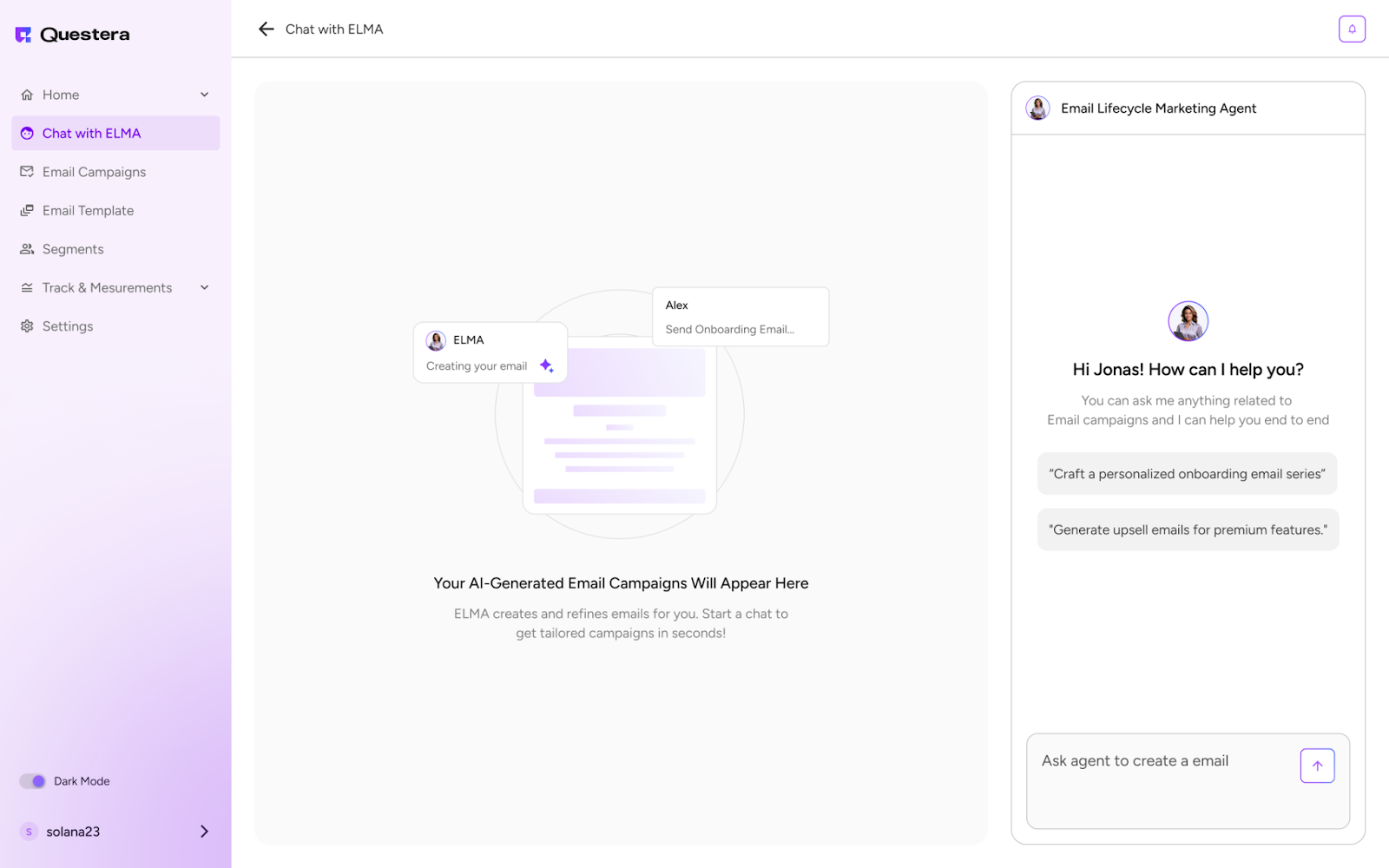
**Personalize the Message:** Include a welcome offer, product recommendations, or limited-time discounts based on user behavior, by chatting with Elma.

<figure><img src="https://1173113760-files.gitbook.io/~/files/v0/b/gitbook-x-prod.appspot.com/o/spaces%2FYEKIeE9xnHLXuuwEs8zo%2Fuploads%2FHPb83xfpeiYllnU9ItHh%2FElmaCon16.png?alt=media&#x26;token=be588f44-def6-4c29-beb2-c0f5a4e7b09c" alt=""><figcaption></figcaption></figure>

**Preview and Launch:** Preview to ensure the email looks appealing. Once satisfied, launch the campaign.

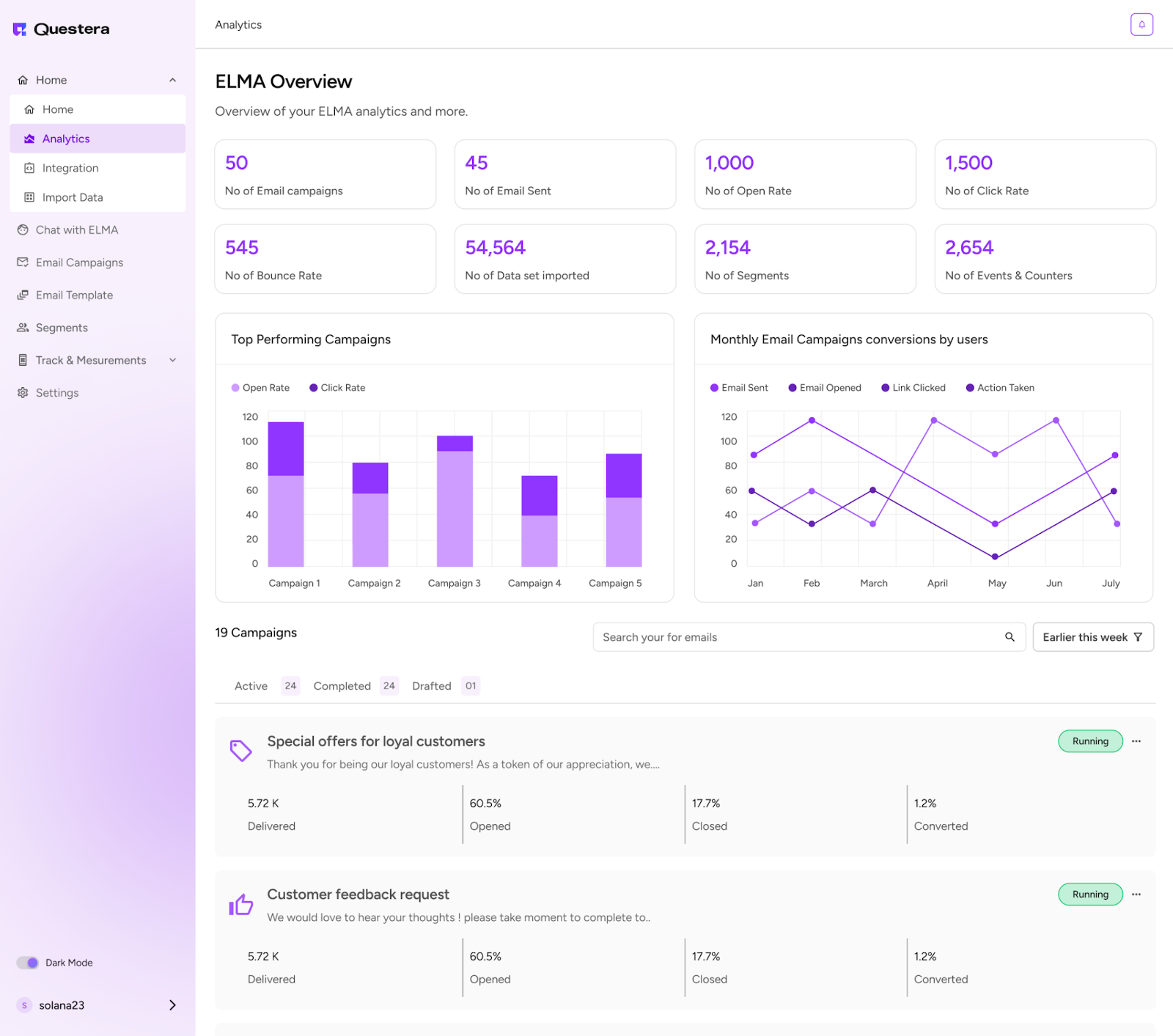
**Track Results:** Monitor activation rates using Analytics. ELMA will suggest optimizations if necessary.
<figure><img src="https://1173113760-files.gitbook.io/~/files/v0/b/gitbook-x-prod.appspot.com/o/spaces%2FYEKIeE9xnHLXuuwEs8zo%2Fuploads%2FeWpjAK0ySu2mBqFkAkdH%2FElmaCon18.png?alt=media&#x26;token=a5ca237c-023c-4960-932f-8885a0931989" alt=""><figcaption></figcaption></figure>

<br>